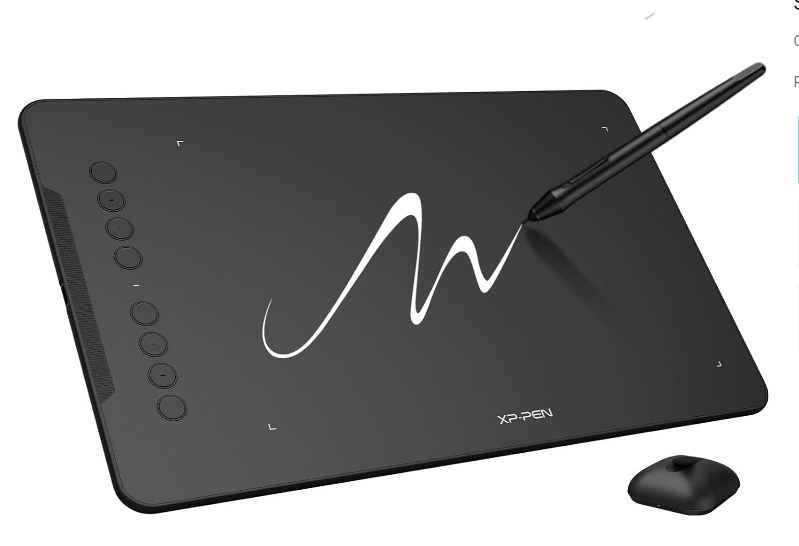
These three options solve the same problem — getting your hand's movement into digital art software — in genuinely different ways, with real tradeoffs rather than one being a strictly better version of another.
At a Glance
| Factor | Pen Tablet | Pen Display | iPad + Apple Pencil |
|---|---|---|---|
| Typical starting price | Lowest | Highest | Mid-to-high (device cost included) |
| Draw directly on screen | No | Yes | Yes |
| Portability | Needs a computer | Needs a computer | Fully portable, standalone |
| Software access | Full desktop software | Full desktop software | iPadOS apps only |
| Learning curve | Steeper at first (hand-eye gap) | Gentler (draws like paper) | Gentler (draws like paper) |
Pen Tablet: Best If You're Starting Out or on a Budget
The lowest cost of entry, and the hand-eye coordination challenge — while real — is a skill that transfers to every other digital art tool you'll ever use. Requires a separate computer to run your software.
Pen Display: Best If Budget Isn't the Deciding Factor
Removes the biggest learning-curve obstacle by letting you draw where you look. The tradeoff is cost, and you still need a computer to drive it — it's not a standalone device.
iPad + Apple Pencil: Best If Portability Matters Most
A genuinely portable, standalone option — no separate computer needed. The real tradeoff is software: you're working within iPadOS apps (Procreate, for example) rather than desktop-class software like the full version of Photoshop or Clip Studio Paint on a computer. For many hobbyists and even working illustrators this isn't a limitation in practice, but if your work specifically requires desktop-only software or plugins, it matters.
How to Actually Decide
Start from budget and constraint, not preference: if cost is the limiting factor, a pen tablet remains the most sensible entry point. If you already know you'll stick with digital art and portability matters, an iPad is a legitimate first purchase, not just an upgrade path. A pen display makes the most sense once you already know your workflow and want to remove the one remaining friction point (looking at a separate screen).
Frequently Asked Questions
Can I upgrade from a pen tablet to a pen display later without relearning everything?
Yes — the core skill (translating hand movement to on-screen results) transfers directly. What changes is removing the need to look away from where your hand is, which most people find is an immediate comfort improvement, not something to relearn.
Is Apple Pencil pressure sensitivity as good as a dedicated drawing tablet?
For most illustration and sketching work, yes, it's genuinely capable. Where it differs is software ecosystem, not raw pressure-sensing quality.