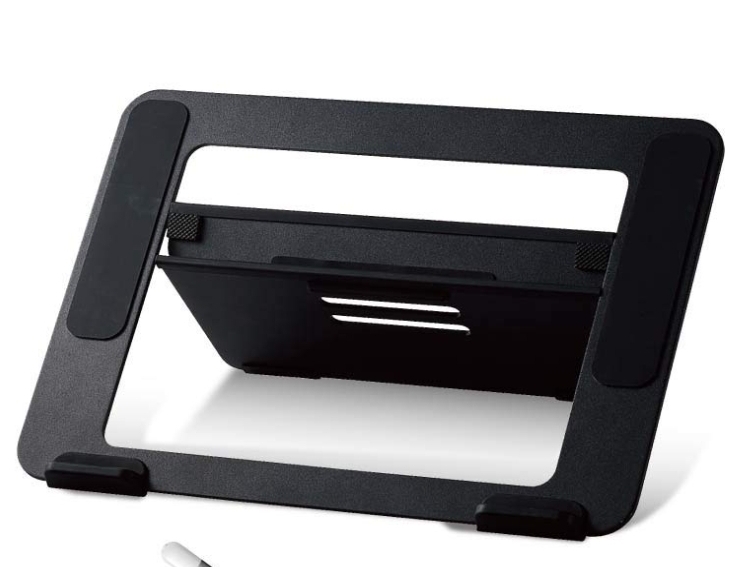
A tablet stand is a small, inexpensive accessory that solves one specific problem — but it's worth confirming you actually have that problem before buying one.
The Problem It Solves
Most pen tablets and screen tablets sit flat on a desk by default. Drawing on a flat surface for extended periods puts your wrist in a bent position and encourages hunching forward to see your screen clearly. A stand angles the tablet, which straightens your wrist and lets you sit more upright — the same ergonomic logic behind a tilted drafting table.
Do You Actually Need One?
If you draw in short sessions, or you don't notice wrist or neck discomfort during longer sessions, you may not need one — this is a comfort and ergonomics upgrade, not a requirement for the tablet to function. If you're doing multi-hour sessions regularly and notice fatigue, a stand is a genuinely low-cost fix worth trying before assuming you need a more expensive ergonomic overhaul.
What Specs Actually Matter
- Weight capacity — check it against your actual tablet's weight, not just a generic "fits most tablets" claim. This matters more for screen tablets, which are heavier than pen tablets.
- Angle range — a stand offering only one fixed angle doesn't give you much flexibility to find your ideal position. Multiple adjustable angles let you fine-tune for different tasks (steep for detail work, flatter for broad sketching).
- Grip width and case compatibility — if you use your tablet with a case or cover on, confirm the stand's holder accommodates that added width, not just the bare device.
Setup Tips
Position the stand so the tablet's top edge is roughly at or slightly below eye level when you're sitting upright — tilting it too steeply can actually reintroduce neck strain by forcing you to look down at a sharp angle. Start at a moderate angle and adjust based on comfort over a few sessions rather than assuming the steepest angle is best.
Frequently Asked Questions
Will a tablet stand work with a screen tablet, not just a pen tablet?
Many stands are rated for both, but always check the specific weight capacity — screen tablets are meaningfully heavier than pen tablets, and a stand rated only for lightweight pen tablets may not safely hold a screen tablet.
Can I use a regular laptop stand instead of a dedicated tablet stand?
Not reliably — laptop stands are generally designed for a different weight distribution and grip shape than a slim tablet, and may not hold a tablet securely at a drawing angle.