Apple Pencil accessories range from genuinely useful to purely cosmetic. Here's how to tell the difference before spending on any of them.
Silicone Grips: Solves a Real Problem
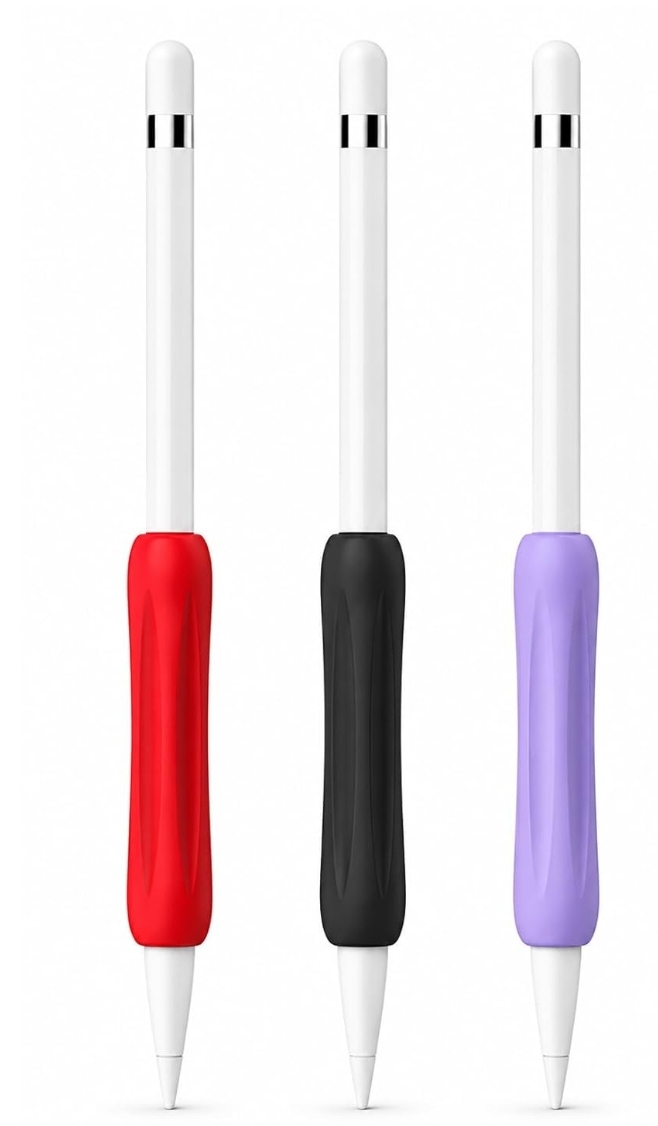
Apple Pencil's bare body is smooth and cylindrical — comfortable for short sessions, but it can become slippery or fatiguing to hold during long drawing sessions, especially for people with sweatier hands or a tighter grip style. A silicone grip adds friction and often a more pencil-like triangular or hexagonal profile, which is a genuine ergonomic fix for that specific problem, not just a cosmetic add-on. The key thing to check: grips are sized to specific Apple Pencil generations, so confirm the grip matches your exact model before buying — a mismatched fit will feel loose and won't stay in place reliably.
Nib Replacements: Necessary Maintenance, Not an Upgrade
The stock nib on Apple Pencil wears down with regular use against a glass screen, and wears down faster if you're using a matte/paper-like screen protector (see our screen protector guide). A worn nib affects both glide feel and precision. This isn't an optional upgrade — it's routine maintenance, similar to replacing a pencil lead, and budgeting for occasional nib replacement is worth doing from the start rather than treating a worn-out nib as a tablet problem.
Cases and Clips: Convenience, Not a Necessity
Cases and magnetic clips mainly address one problem — Apple Pencil rolling off a desk or getting lost — which is a real annoyance but not a functional limitation. Worth it if you've actually experienced that problem; not essential otherwise.
Tips: Mostly Unnecessary for Digital Art
Third-party pen tips claiming to improve "pressure sensitivity" or "precision" beyond Apple's own nib are generally not delivering a meaningful functional improvement for drawing specifically — Apple Pencil's actual pressure sensing happens in the pencil's internals, not the tip material. Be skeptical of tip-based accessories marketed with performance claims.
A Reasonable Starting Kit
If you're setting up Apple Pencil for regular drawing use, a grip (if you find the bare body uncomfortable during longer sessions) and a spare nib or two are the two accessories most likely to solve an actual problem. Everything else is optional based on your specific habits.
Frequently Asked Questions
Do third-party Apple Pencil grips work with all Apple Pencil generations?
No — grips are generally sized for a specific generation's diameter. Always confirm compatibility with your exact model before buying, since Apple has changed the Pencil's shape and size across generations.
How often should I replace my Apple Pencil nib?
It depends heavily on how much you draw and whether you use a textured screen protector, which accelerates wear. There's no fixed interval — replace it when you notice reduced glide smoothness or a change in line quality.