A good desk setup for digital art isn't about buying every accessory available — it's about solving the handful of real ergonomic and workflow problems that actually come up during long creative sessions.
Start With the Core Ergonomic Problems
Three things cause most of the discomfort in a poor desk setup: screens positioned too low (forcing you to hunch forward or look down), a chair that doesn't support your back during long stationary sessions, and repetitive strain from your mouse or tablet position. Everything else — lighting, cable management, decor — matters, but solve these three first.
Screen Position
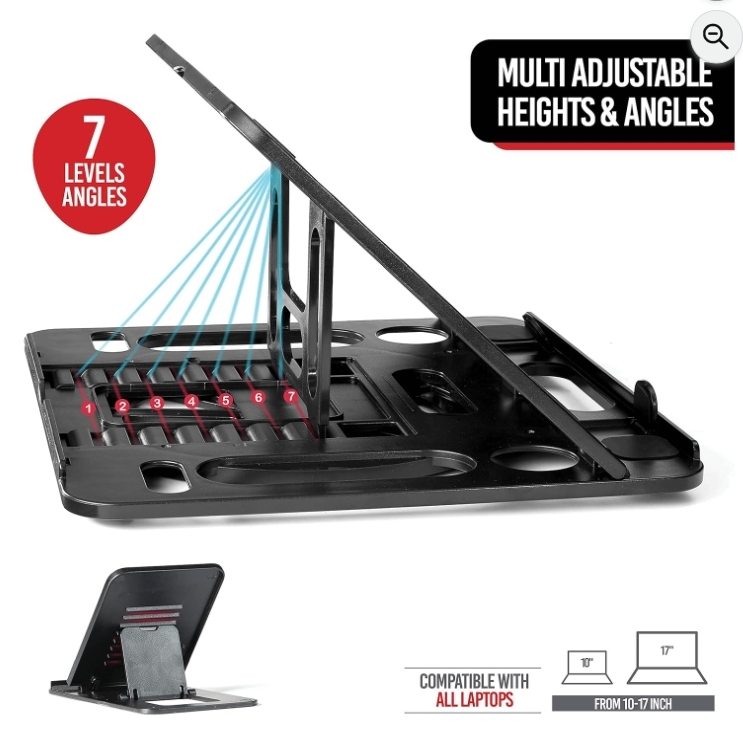
Your main monitor's top edge should sit roughly at or just below eye level when sitting upright, so you're looking slightly downward at the center of the screen rather than up or sharply down. If you're using a laptop as a secondary or primary display, a laptop stand (see our laptop stand review) paired with an external keyboard is a low-cost way to fix this without buying a new monitor.
Lighting
Screen glare and poor desk lighting cause more eye strain than most people realize during long design sessions. A monitor light bar (see our light bar vs. ring light comparison) lights your desk without shining directly into your eyes or washing out your screen — a meaningfully different approach than a generic desk lamp, which tends to create glare rather than solve it.
Mouse and Input Ergonomics
Design work — precise selections, long editing sessions, repetitive zoom/pan actions — puts different strain on your hand than general computer use. If you notice wrist or hand fatigue, it's usually a shape/ergonomics problem, not something a higher-DPI mouse alone fixes. Worth trying a mouse specifically designed for extended use before assuming you need a full ergonomic overhaul.
What to Deprioritize
RGB lighting, elaborate cable sleeving, and matching aesthetic accessories are genuinely nice once the ergonomic fundamentals are solved, but they don't address any of the real problems above. If budget is limited, spend it on screen height, lighting, and seating before decor.
A Reasonable Build Order
If you're building a setup from scratch on a budget, prioritize in this order: correct screen height (laptop stand or monitor arm), then desk lighting, then input device ergonomics, then everything else. Each of these solves a specific, common problem rather than being a general "nice to have."
Frequently Asked Questions
Do I need a standing desk for a good art setup?
Not necessarily — a well-positioned seated setup with correct screen height and a supportive chair solves most ergonomic problems on its own. A standing desk is a genuine option for people who specifically want to alternate positions, but it's not a requirement.
What's the single highest-impact upgrade for an uncomfortable setup?
For most people, correcting screen height (via a monitor arm or laptop stand) has the most immediate impact, since incorrect screen height affects neck and back posture throughout the entire session.